YOUR SAVED PLAN
DID YOU TRY ONE OF YOUR CHECKS?
Your answer helps JPS tell whether this guidance was useful after you left the page.
STEP 1 OF 3
HOW ARE YOU KEEPING COOL RIGHT NOW?
Tap all that apply. Your answers change which checks appear first.
Tap all that apply
STEP 2 OF 3
YOUR COOLING TIPS
Based on your selections
AIR CONDITIONING
16°C will not cool the room faster
Setting the thermostat colder than normal does not make the room cool faster. It can keep the AC cooling past the temperature you needed.
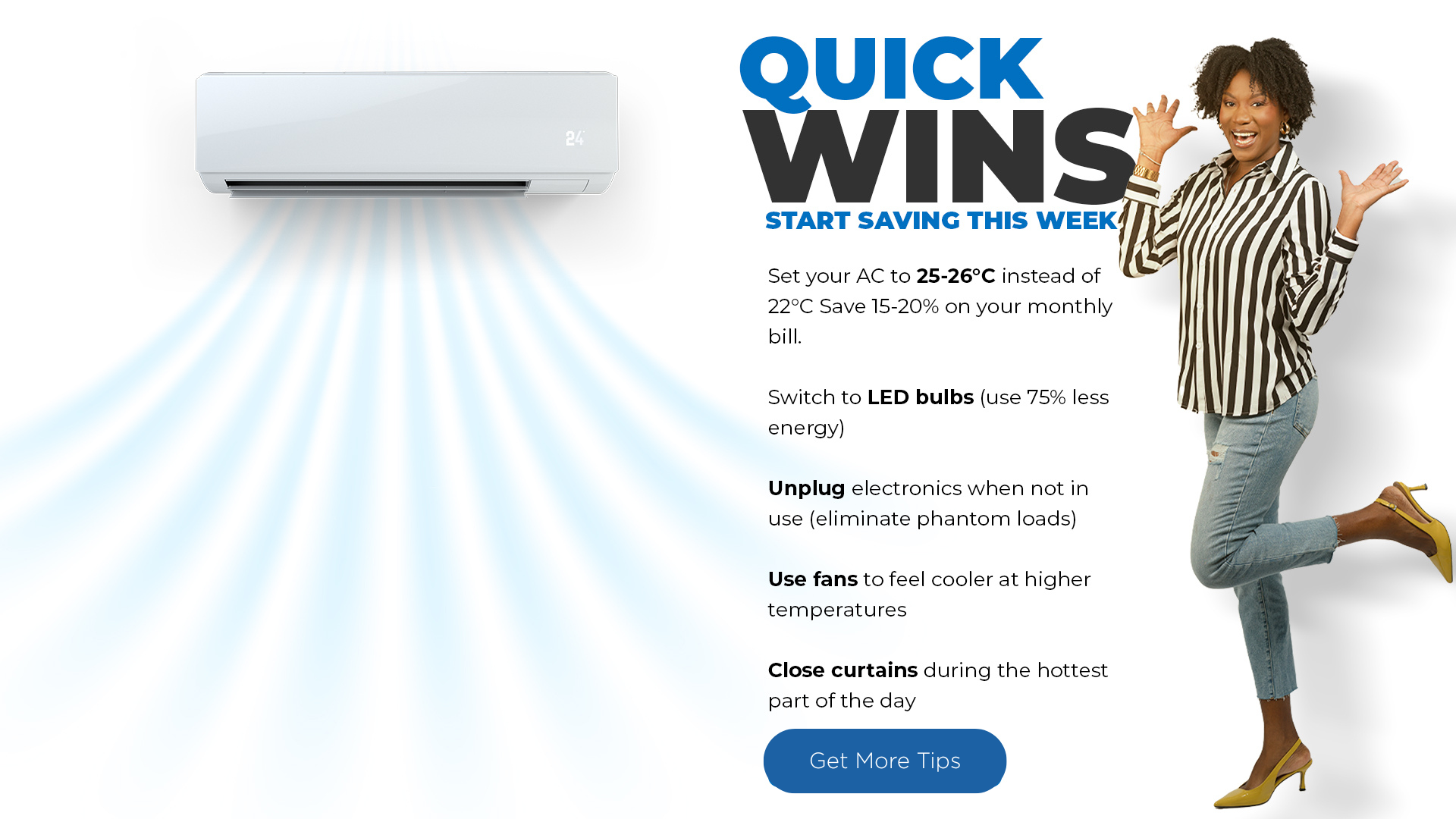
Set the AC to 25°C instead of 16°C. Use the warmest setting that keeps the room comfortable.
CEILING FAN
Make sure the fan is pushing air down
In hot weather, a reversible ceiling fan should create a downward breeze. ENERGY STAR guidance describes this as counterclockwise operation when viewed from below.
Stand directly underneath. You should feel air on your face. If not, turn the fan off before changing its direction switch.
STANDING OR BOX FAN
Point the fan at the people, not the empty room
Fans make occupants feel cooler by moving air across the skin. They do not lower the room temperature in the way an air conditioner does.
Aim the airflow at the chair, bed or work area you are actually using.
WINDOWS AND BREEZE
Close windows and doors while the AC is running
Open windows and doors let conditioned air leave and outdoor air enter, so the AC has more heat and moisture to remove.
With the AC on, check every window and door in the room before settling in.
AC + FAN COMBO
Pair the AC with a fan
Air movement creates a wind-chill effect. With a fan blowing on you, you may stay comfortable with the AC thermostat about 2°C higher than without the fan.
Set the AC to 25°C and use the ceiling or standing fan to move air across the occupied part of the room.
ROOM SEALING
Your AC might be cooling the hallway
Air leaks around doors and windows allow conditioned air to leave and outdoor air to enter. Sealing those leaks can improve comfort and reduce the cooling load.
Close the door or window and turn other fans off. Hold a thin strip of tissue paper close to the edges. If it flutters consistently at one spot, check the seal around that gap.
CEILING OR STANDING FAN
Turn the fan off when the room is empty
Fans cool people through air movement. Running one in an empty room does not store coolness for later.
Make the last person leaving the room responsible for switching the fan off.
WINDOWS AND BREEZE
Block direct sun before the room heats up
Direct sunlight through windows adds heat indoors. Closing curtains or blinds on sun-facing windows reduces that heat gain.
Before mid-morning, close the curtains or blinds on the side of the home receiving direct sun.
WINDOWS + EVENING BREEZE
Open up when outside is cooler than inside
Night ventilation works when outdoor air is cooler than the air indoors. Its effectiveness depends on local temperature, humidity, wind and the layout of the home.
Once outside feels cooler, open safe windows on opposite sides to create a cross-breeze. Close them again when outside becomes warmer.
AIR CONDITIONING
Check the AC filter during heavy-use months
A dirty filter slows airflow and makes the system work harder. ENERGY STAR advises checking it monthly during heavy-use periods and cleaning or replacing it when dirty.
Switch the unit off, inspect the filter, then follow the manufacturer’s instructions for cleaning or replacement.
JPS does not receive your WhatsApp number from this button.
ONE QUICK QUESTION
Did this give you a clear next step?Enter the room measurements and the BTU/h printed on the AC label. This gives a basic screening result, not a professional load calculation.
Basic chart source: ENERGY STAR Room Air Conditioners.
GO ONE STEP FURTHER
UNDERSTAND WHAT HAPPENS NEXT
NOT SURE WHAT’S DRIVING IT?
See Watts happening, track your usage.
Check your pattern before the statement arrives. Track it in the MyJPS App →HOW DOES USAGE BECOME THIS NUMBER?
See what each line on the statement means.
Review rates, charges and the parts of your bill. Understanding your JPS bill →What we can and can’t control. JPS can explain how usage is measured and how charges are applied. We cannot see every appliance or condition inside your home from a bill alone. This check helps you test what you can observe, then compare your usage in MyJPS.